Skip to content
Evergrowth Labs
Mobile app · Invoicing for tradespeopleIn development

An invoice in ninety seconds, for people who work with their hands.

An invoice and estimate app for tradespeople, in development for India and the UK.

In development. Screens are from the current build on a simulator, with sample data. Not yet released.
Project
PayR
Status
In development
Our role
Product, design and development by Evergrowth Labs
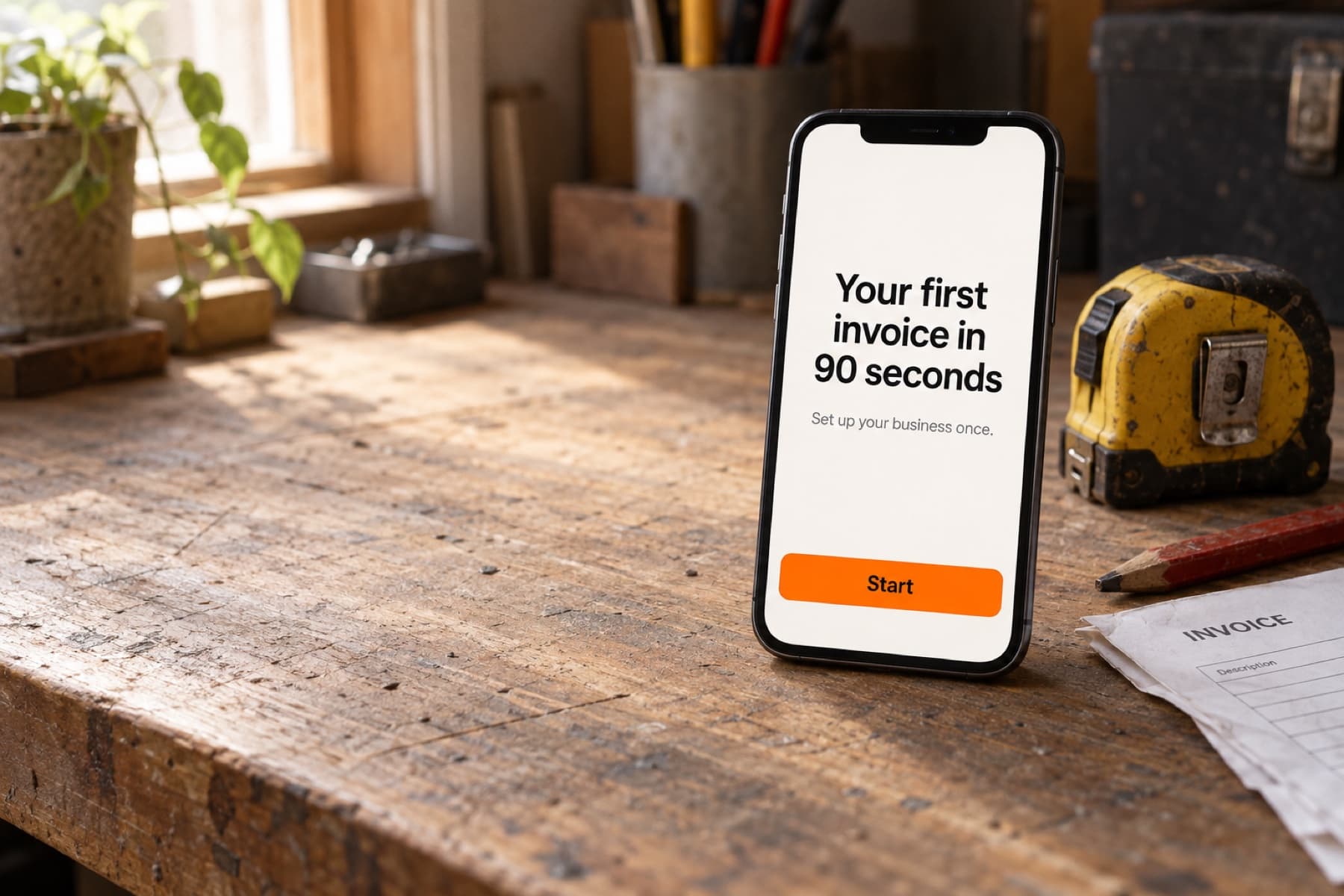
A phone standing on a wooden workbench beside a tape measure and a paper invoice, showing the PayR welcome screen: Your first invoice in 90 seconds, with an orange Start button

What the product does

PayR is an invoice and estimate maker for solo tradespeople and small crews: electricians, plumbers, painters, handymen and similar. It is being built for India and the UK first, with the country chosen at the start so the currency, tax wording and numbering are right from the first document.

The idea is simple. Set up the business once, in six short steps. After that an invoice takes about a minute, looks like it came from a real company and tells the customer exactly how to pay.

What to explore

  • Onboarding: where you work, what language, what you do, whether you charge tax, your business and how you get paid.
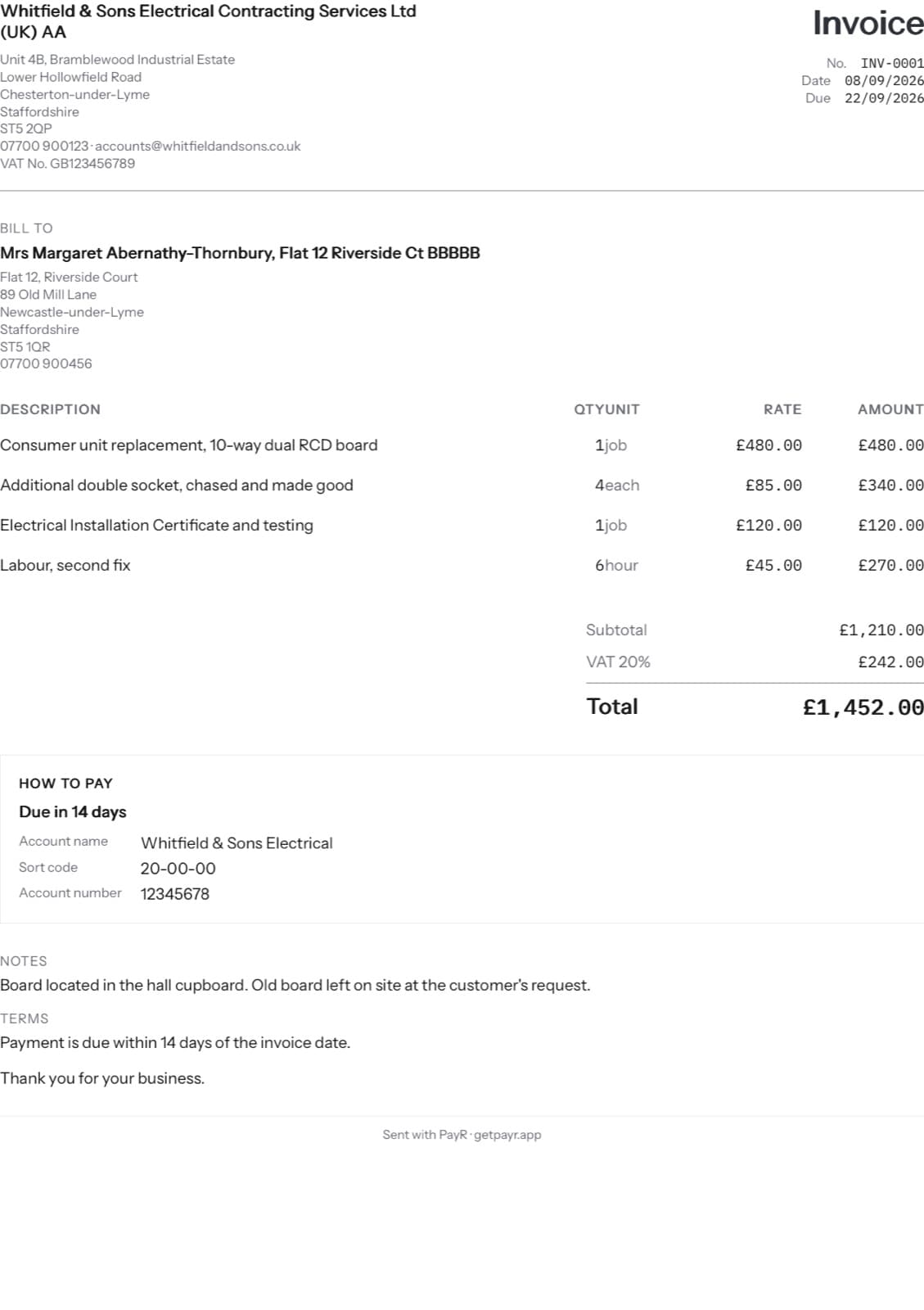
  • The document: a clean invoice with the pay details printed on it, generated on the phone so it works without a connection.
  • What comes next: a voice note from a customer turned into a draft estimate the tradesperson reviews before sending.

In development. Screens are from the current build on a simulator, with sample data. Not yet released.
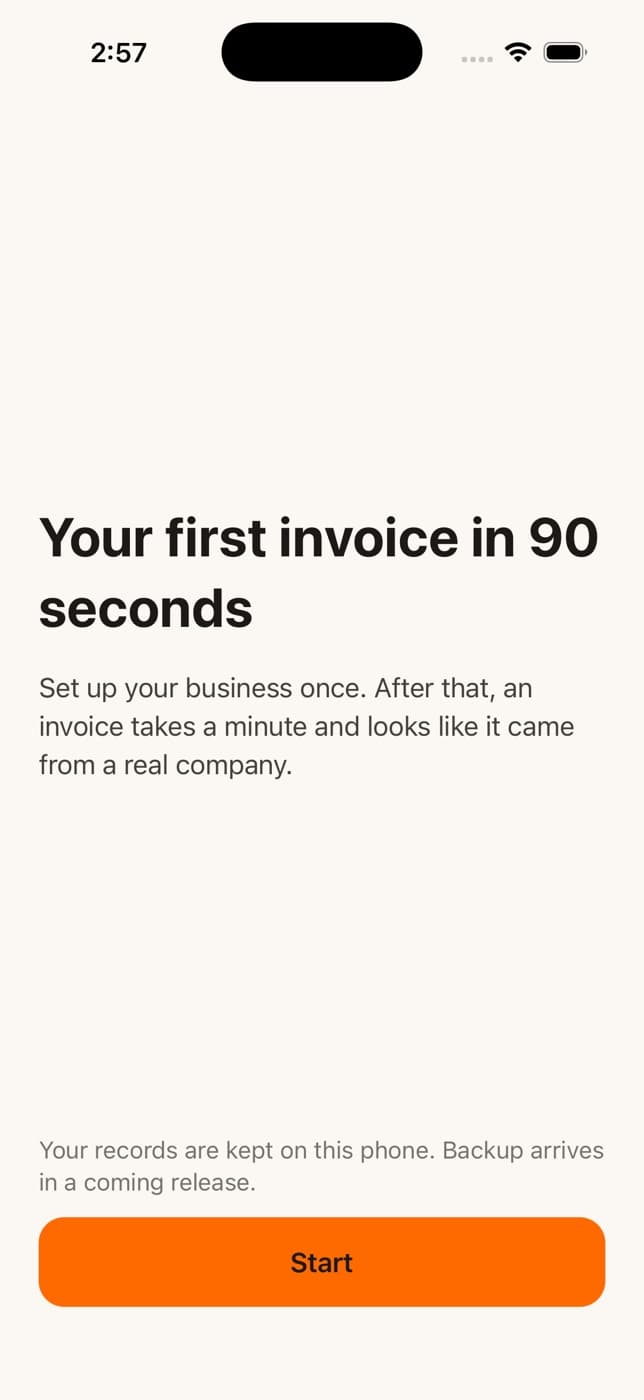
  • PayR welcome screen: Your first invoice in 90 seconds, with a Start button
    Welcome
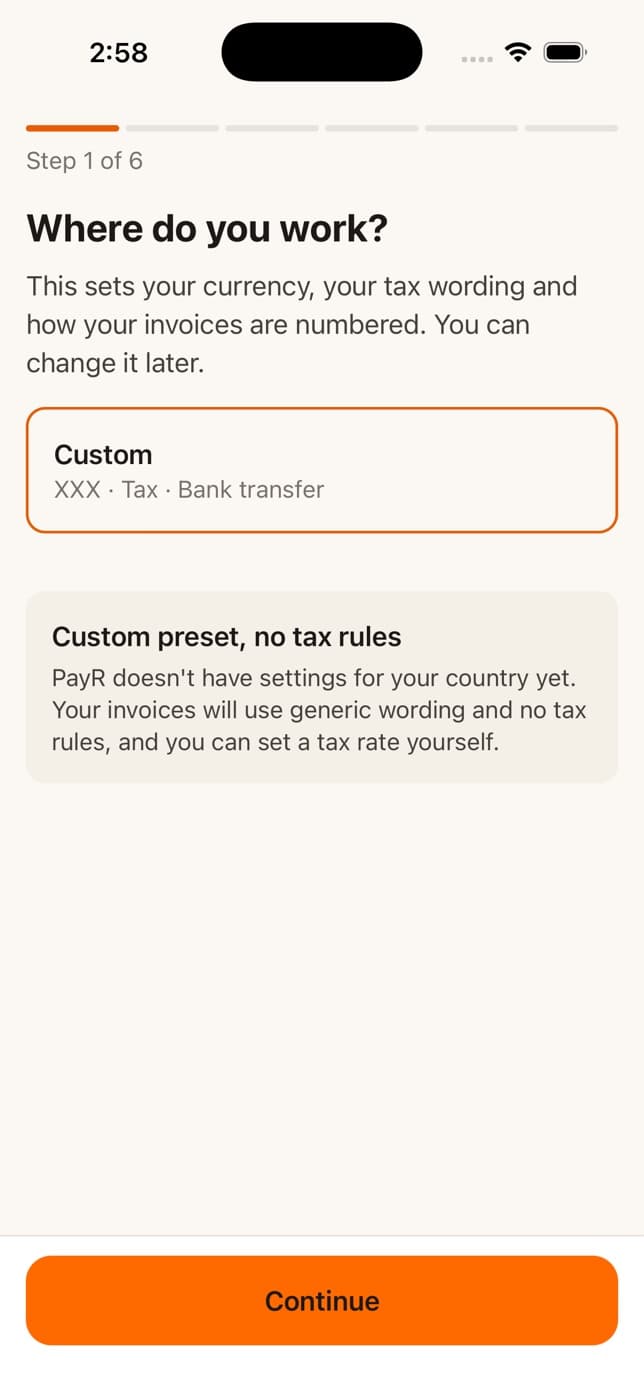
  • PayR onboarding step one, Where do you work, with a region card
    Step 1: where you work
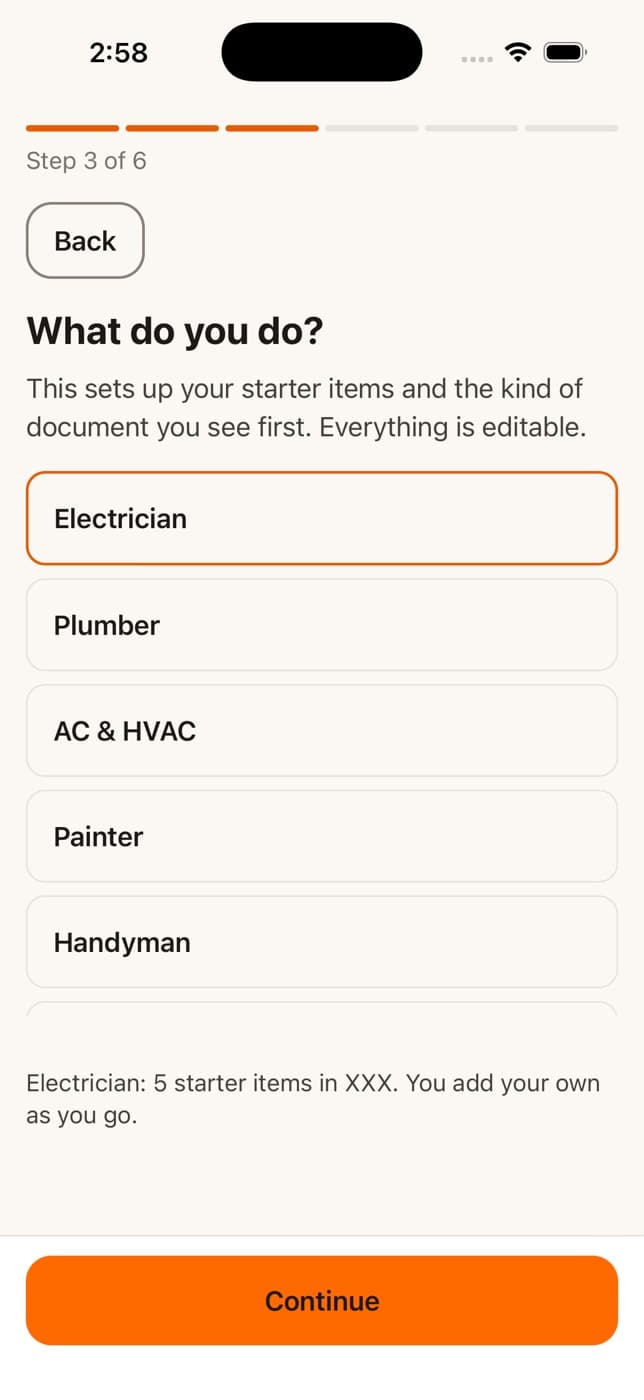
  • PayR onboarding step three, What do you do, listing electrician, plumber, AC and HVAC, painter and handyman
    Step 3: your trade sets the starter items
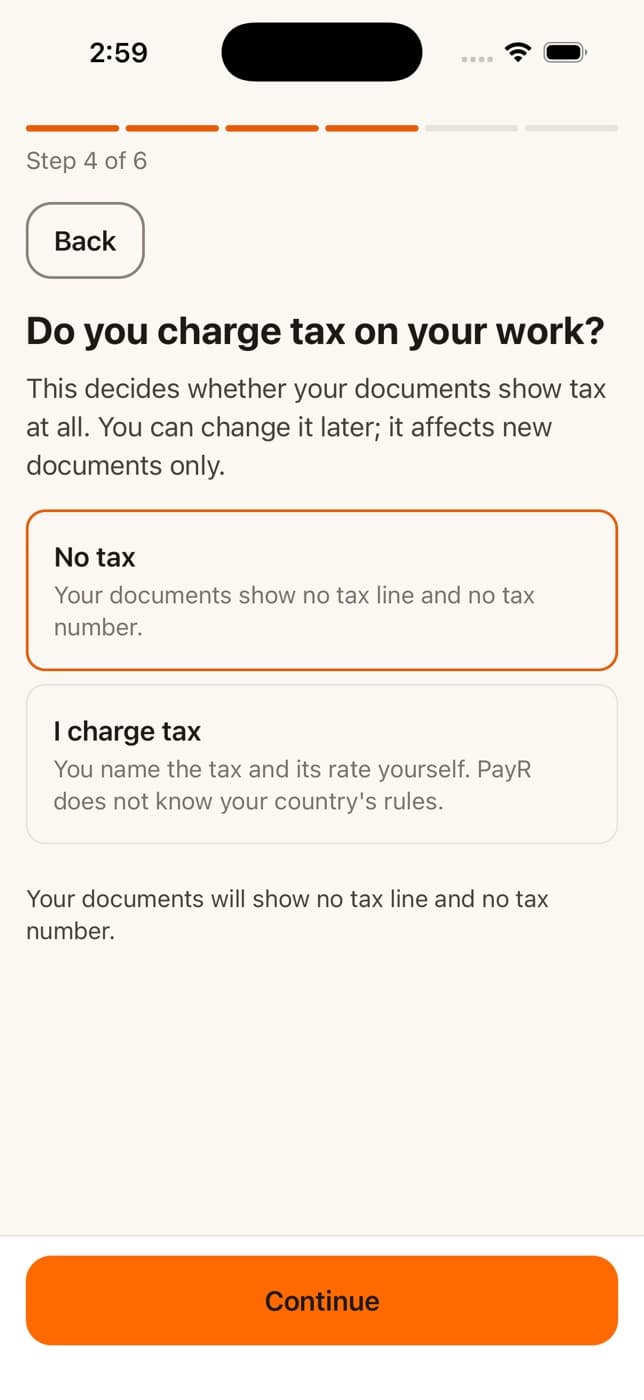
  • PayR onboarding step four, Do you charge tax on your work, with No tax and I charge tax options
    Step 4: tax, in plain words
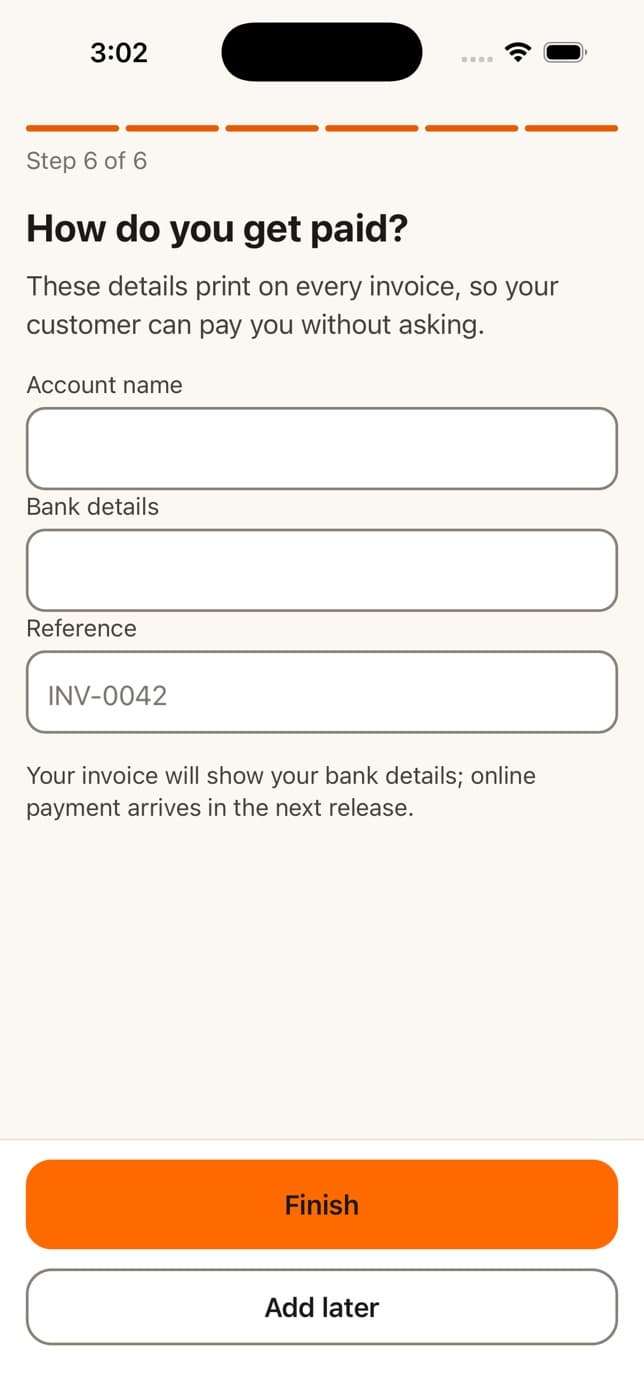
  • PayR onboarding step six, How do you get paid, with account name, bank details and reference fields
    Step 6: how you get paid
  • A sample invoice generated by PayR with line items, VAT, total and a how-to-pay panel
    The document, generated on the phone from sample data

Evidence · Built by Evergrowth Labs, in development. Screens captured from the current iOS build on a simulator on 16 September 2026. The invoice is a test document with a fictional business and customer. No release date, price or feature promise is made here.

The cover image is a generated scene that reproduces the app's real welcome screen. All names, addresses and amounts in the app screens are sample data from the test build.

More work

All projects
The getglip.app homepage: the headline Your week on a GLP-1, finally making sense, a list of medications it works with, an App Store button and a phone showing the app
Mobile app

Glip

A focused mobile experience for health tracking, with a website that explains it in one screen.

Explore the product

What would you like your business to do better?

Tell us what you are building, what is getting in the way or what needs to change. A rough idea is enough to start the conversation.

We’ll review your message and help clarify the next step.